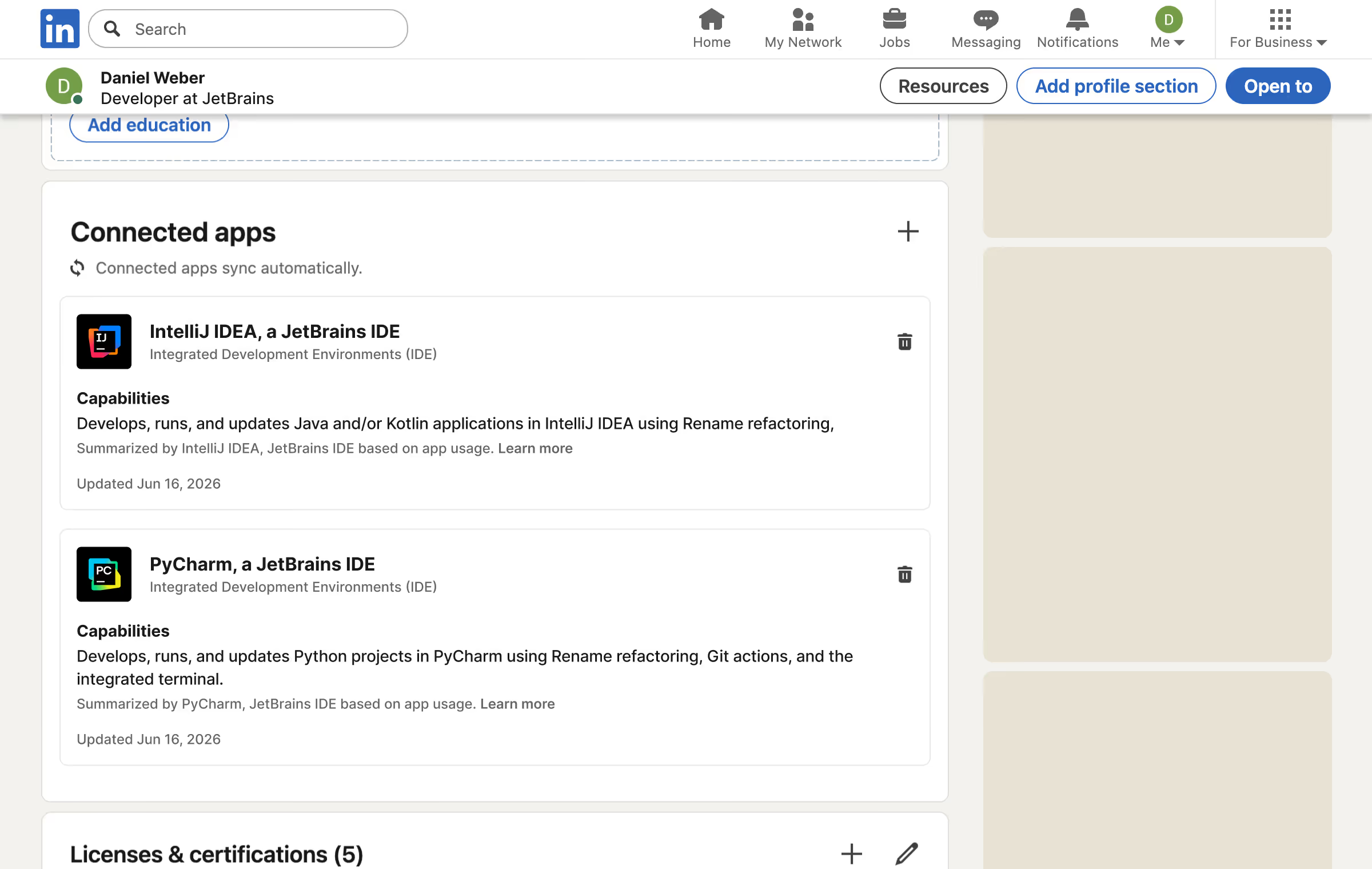
PhpStorm users can now highlight their real-world experience with the IDE on LinkedIn through JetBrains' new LinkedIn Connected Apps integration. A new free plugin connects your activity in PhpStorm and other JetBrains IDEs to a badge that updates automatically as you work.
If you spend your day in PhpStorm building Laravel apps, this gives you a way to surface that on LinkedIn. JetBrains joins early Connected Apps partners including Descript, Duolingo, Lovable, Relay.app, and Replit.
工作原理
You install the LinkedIn Connected Apps plugin, and it watches how you use the IDE. It examines patterns such as code editing, debugging, version control, and AI-assisted workflows, then generates a statement that reflects your practical experience. The badge updates automatically as your usage changes.
The plugin supports IntelliJ IDEA, PyCharm, WebStorm, PhpStorm, Rider, GoLand, CLion, RustRover, and RubyMine, with DataGrip coming soon.
What the Badge Is, and What It Isn't
The early reaction has been mixed, and a lot of it comes down to a misreading of what the badge actually claims. It is not a certification, a test, or a ranking. JetBrains is direct about this, and says the system is "designed to represent your practical use of JetBrains tools, not to rank developers or certify skill levels."
So the badge says you use the debugger, not that you are good at debugging. It is a usage signal, just as "5 years with Laravel" is on a resume. Whether that is useful to you depends on what you want your profile to say, and that is worth deciding before you connect it.
Your Data
JetBrains says your IDE usage data stays on your machine. Only the information needed for your connected account and your usage statement is shared with LinkedIn and JetBrains. Detection occurs within the IDE, so usage by external AI tools or the terminal is not captured yet. The plugin needs to stay installed to keep tracking and updating your profile.
How to Connect It
- Open your JetBrains IDE.
- Go to Settings, then Plugins.
- Search the Marketplace for "LinkedIn Connected Apps" and install it.
- Let the plugin collect your local usage data.
- When you are ready, connect your LinkedIn account to share your badge.
A next version is planned for later in 2026 with better representation of AI features and DataGrip support.
阅读更多
For the full announcement and the details on what gets shared, see the JetBrains blog post 。