Wirebones 经过 Felipe Martins loads your real page in headless Chromium, traces the rendered layout, and writes a matching skeleton Blade file that Livewire serves while the lazy component boots.
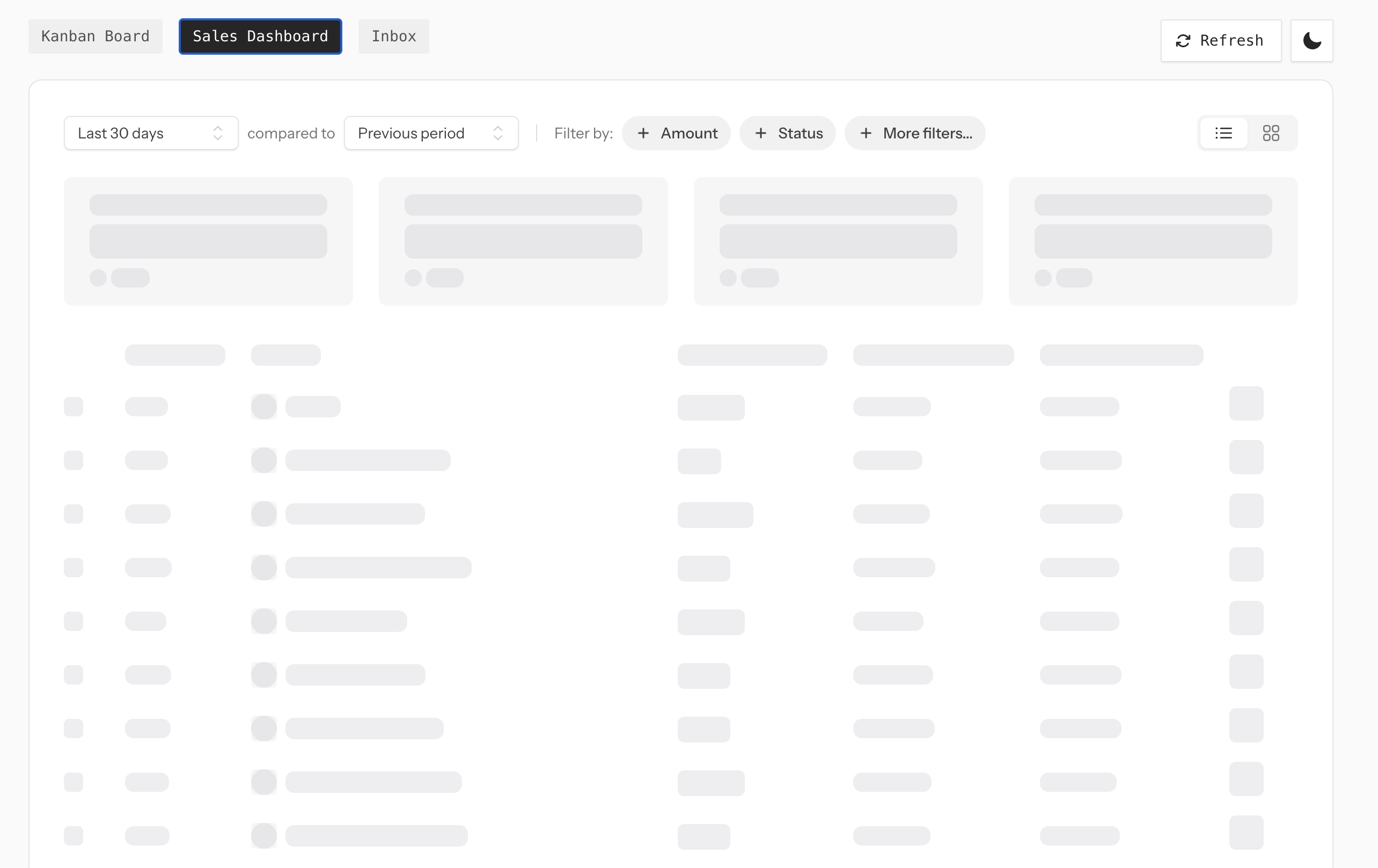
Because the source of truth is the rendered component instead of a parallel template, redesigns don't silently rot the placeholder — you just rebuild. The author has a 现场演示 with Kanban, sales dashboard, and inbox examples — reload any of them to watch the bones flash before the real markup snaps in.
- Capture from the real DOM — skeleton markup is generated from the rendered component, not hand-authored
- Responsive output — capture multiple viewport breakpoints in one build
- Vite auto-rebuild
— file watcher rebuilds only affected skeletons during
vite serve - Authenticated routes supported
— Laravel guard auth, browser cookies, headers, or Playwright
storage_state - Drop-in to Livewire
— works with
lazy,defer, 和lazy.bundle - Laravel Boost skill included — AI agents using Boost pick up the conventions automatically
Marking a component is a single attribute pointing at a route where it's already rendered:
使用

Livewire\组件
;使用

MrFelipeMartins\Wirebones\Attributes\Wirebone
;#[
Wirebone
(
路线
:
'/仪表板'
)]班级

收入

延伸

成分{
民众

功能

使成为
(){
返回

看法
(
'livewire.revenue'
(英文):}}
Then lazy-mount it as usual and run
php artisan wirebones:build
:
<
livewire:revenue

懒惰的
/>
这
#[Wirebone]
attribute also takes a few capture options — viewport widths to snapshot, how long to wait after page load, and selectors to ignore:
#[
Wirebone
(
路线
:
'/仪表板'
,
breakpoints
:[
375
,
768
,
1280
],
等待
:
800
,
excludeSelectors
:[
'[data-no-wirebone]'
],)]
Chromium is only used at build time to generate the skeleton Blade files, not at runtime. Once
wirebones:build
writes the placeholders to disk, Livewire serves them like any other Blade view — your production servers don't need Playwright or Chromium installed.
You can find Wirebones on GitHub and the live demo at wirebones.laravel.cloud 。