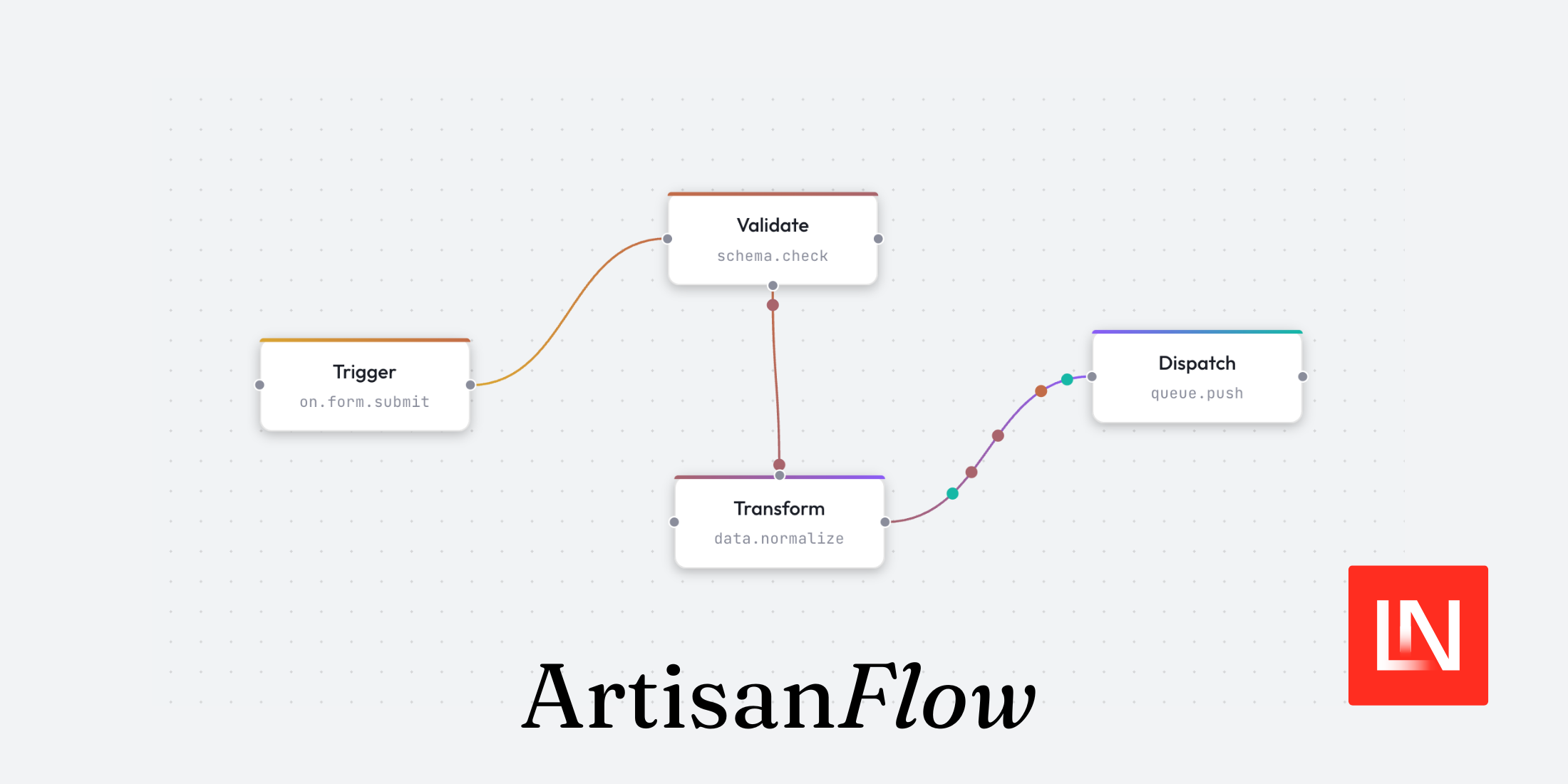
ArtisanFlow is a new package by Zac Hiler that brings node-based flowchart UIs to Laravel applications. It ships in alpha and consists of two packages: AlpineFlow , the core frontend engine built on Alpine.js, and WireFlow , the Laravel companion that wraps it in Blade components and a Livewire trait.
Rather than render functions or JSX, you build flows with
x-flow-*
Alpine directives — or with WireFlow, plain Blade components with no custom JavaScript required.
主要特点
Some of the key features include:
- Directive-driven — everything is an Alpine directive; no render functions or JSX needed
- Animation engine — built-in support for timelines, particles, path motion, and camera tracking, all in a single animation loop
- Deep nesting — nodes support parent/child hierarchies with type validation, child count limits, and auto-stacking
- Zero-JS Livewire integration — install via Composer and use Blade components with multiple sync modes and server-side control
- Smart edge routing — edges automatically route around nodes using avoidant or orthogonal path algorithms
- AI-ready docs — ships with Laravel Boost skills for IDE integration so AI tools understand the API from the start
安装
For a Laravel app, install WireFlow via Composer:
作曲家

要求

getartisanflow/wireflow
Then run the install command, which publishes the assets and wires up the imports:
php

工匠

wireflow:installnpm

跑步

建造
WireFlow bundles AlpineFlow alongside it, so you don't need a separate npm install for the core. The service provider auto-discovers, and after the build step
<x-flow>
is ready to use in any Blade view.
Building a Flow
The typical setup is a Livewire component holding your node and edge data, paired with a Blade view using
<x-flow>
。
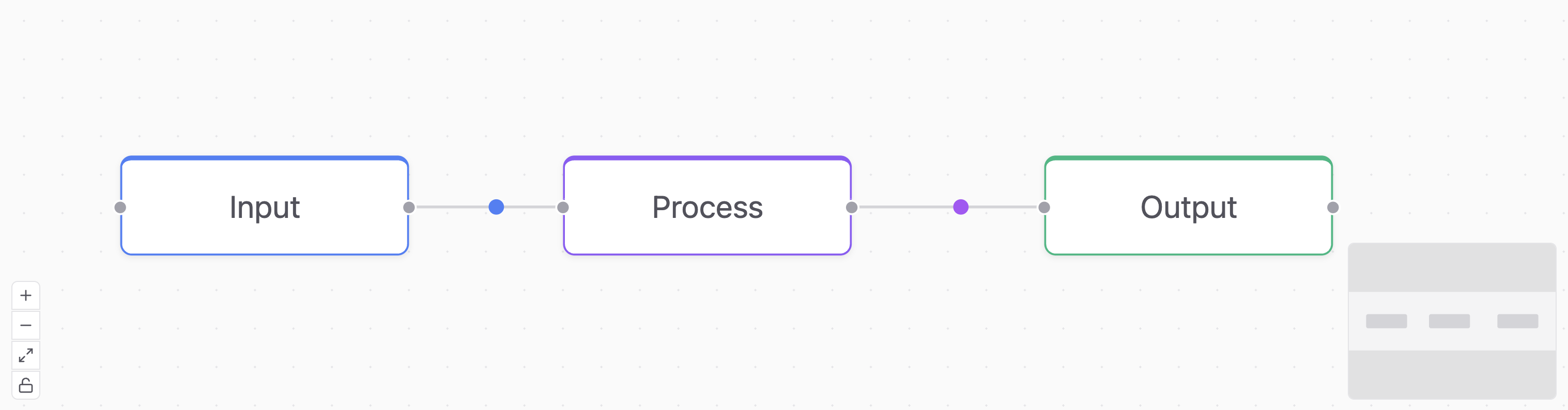
Nodes and edges are plain PHP arrays. Each node needs an
id
, A
position
和
data
和
label
, while edges need at least an
id
,
source
, 和
target
:
使用

Livewire\组件
;班级

DemoFlow

延伸

成分{
民众

大批
节点
=
[[
'ID'

=>

‘1’
,
'position'

=>
[
'x'

=>

20
,
'和'

=>

120
],
'班级'

=>

'flow-node-info'
,
'数据'

=>
[
'标签'

=>

'Input'
]],[
'ID'

=>

'2'
,
'position'

=>
[
'x'

=>

250
,
'和'

=>

120
],
'班级'

=>

'flow-node-primary'
,
'数据'

=>
[
'标签'

=>

'Process'
]],[
'ID'

=>

'3'
,
'position'

=>
[
'x'

=>

500
,
'和'

=>

120
],
'班级'

=>

'flow-node-success'
,
'数据'

=>
[
'标签'

=>

'Output'
]],];
民众

大批
$edges
=
[[
'ID'

=>

'e1-2'
,
'来源'

=>

‘1’
,
'目标'

=>

'2'
,
'animated'

=>

'dot'
,
'particleColor'

=>

'#3b82f6'],[
'ID'

=>

'e2-3'
,
'来源'

=>

'2'
,
'目标'

=>

'3'
,
'animated'

=>

'dot'
,
'particleColor'

=>

'#a855f7'],];
民众

功能

使成为
(){
返回

看法
(
'livewire.demo-flow'
(英文):}}
The Blade view passes those arrays to
<x-flow>
and defines the node template inside an
<x-slot:node>
:
<
x-flow

:nodes
=
"$nodes"

:edges
=
"$edges"
><
x-slot:node
><
x-flow-handle

类型
=
"target"

位置
=
"left"
/><
跨度

x-文本
=
"node.data.label"
></
跨度
><
x-flow-handle

类型
=
“来源”

位置
=
"right"
/></
x-slot:node
></
x-flow
>
<x-flow-handle>
marks connection points. Handles with
type="source"
initiate edges, and
type="target"
receives them. Inside the node slot,
node
is a reactive Alpine object, so any Alpine expression works —
:class
,
x-show
,
x-text
, and so on:
<
x-slot:node
><
x-flow-handle

类型
=
"target"

位置
=
“顶部”
/><
跨度

x-文本
=
"node.data.label"
></
跨度
><
跨度

x-show
=
"node.selected"

班级
=
"text-blue-500 text-xs"
>Selected</
跨度
><
x-flow-handle

类型
=
“来源”

位置
=
"bottom"
/></
x-slot:node
>Canvas Features
Several canvas features can be toggled via props on
<x-flow>
:
<
x-flow
:nodes
=
"$nodes"
:edges
=
"$edges"
背景
=
"dots"
:controls
=
“真的”
:minimap
=
“真的”
:fit-view-on-init
=
“真的”
:history
=
“真的”>
background
接受
"dots"
,
"lines"
,
"cross"
, 或者
"none"
。
controls
adds zoom and fit-view buttons.
minimap
renders an overview panel.
fit-view-on-init
centres all nodes on first load.
history
enables undo/redo with
Ctrl+Z
/
Ctrl+Y
。
Custom Node Types
For flows with multiple node types, you can register separate Blade views per type using
:node-types
:
<
x-flow
:nodes
=
"$nodes"
:edges
=
"$edges"
:node-types
=
"['input'  => 'flow.nodes.input-node','output' => 'flow.nodes.output-node',]">
Then set
type
on individual nodes in your PHP array, and WireFlow will stamp the matching view. Nodes without a matching type fall back to the default slot.
Handling Events
User interactions on the canvas — connecting nodes, clicking, dragging — fire events you can listen to on
<x-flow>
:
<
x-flow
:nodes
=
"$nodes"
:edges
=
"$edges"
@connect
="onConnect"
@node-click
=
"onNodeClick"
@node-drag-end
=
"onNodeDragEnd">
These route to methods on your Livewire component. Add the
WithWireFlow
trait and define the handlers:
使用

ArtisanFlow\WireFlow\Concerns\WithWireFlow
;班级

DemoFlow

延伸

成分{
使用

WithWireFlow
;
民众

功能

onConnect
(
细绳
$source,
细绳
$target)
:

空白{
$this
->
edges[]
=
[
'ID'

=>

"e-{
$source
}-{
$target
}”
,
'来源'

=>
$source,
'目标'

=>
$target,];}
民众

功能

onNodeClick
(
细绳
$id)
:

空白{
// handle click}
民众

功能

onNodeDragEnd
(
细绳
$id,
漂浮
$x,
漂浮
$y)
:

空白{
// persist the new position}}Server-Driven Updates
这
WithWireFlow
trait also exposes methods for pushing changes to the canvas from the server — adding or removing nodes, controlling the viewport, triggering animations, and more:
民众

功能

addStep
()
:

空白{
$this
->
flowAddNodes
([[
'ID'

=>

'new-1'
,
'position'

=>
[
'x'

=>

300
,
'和'

=>

100
],
'数据'

=>
[
'标签'

=>

'New Step'
]],]);}民众

功能

focusCanvas
()
:

空白{
$this
->
flowFitView
();}民众

功能

resetCanvas
()
:

空白{
$this
->
flowClear
();}
For methods that dispatch canvas commands without updating Livewire state, Livewire 3.3+'s
#[Renderless]
attribute skips the re-render:
#[
Renderless
]民众

功能

zoomToFit
()
:

空白{
$this
->
flowFitView
();}Sync Modes
By default, WireFlow sends node and edge data to the canvas as initial values and leaves state management on the client. You can flip this with two props:
:sync="true"— two-way binding via Livewire'sentangle(). Every drag or connection syncs back to$nodes和$edgeson the server automatically.:listen="true"— read-only canvas; users can't drag or connect. Useful for dashboards that push state changes.
Laravel Boost Skills
ArtisanFlow also ships with Laravel Boost skills, which provide AI-optimised documentation that tools like Claude Code and Cursor can consume directly. The idea is that your AI assistant understands the ArtisanFlow API out of the box — directives, components, trait methods — without you having to paste docs into context or explain the API yourself.
Live Collaboration
ArtisanFlow also includes a collaboration add-on that enables real-time multi-user editing. It automatically syncs node and edge changes across connected clients, supports remote cursors, shared selections, and Laravel Reverb as a provider.
笔记: At the time of writing, ArtisanFlow is in alpha, but already has a solid feature set worth keeping an eye on.
Follow along with Zac as he continues development, explore the source code on GitHub , and check out the 完整文档 to dig deeper.